Menu
Page Settings

Theme Pages

Add new pages Visit Shopify Guide (Creating and editing pages)

Create a theme page (ex. Wishlist)
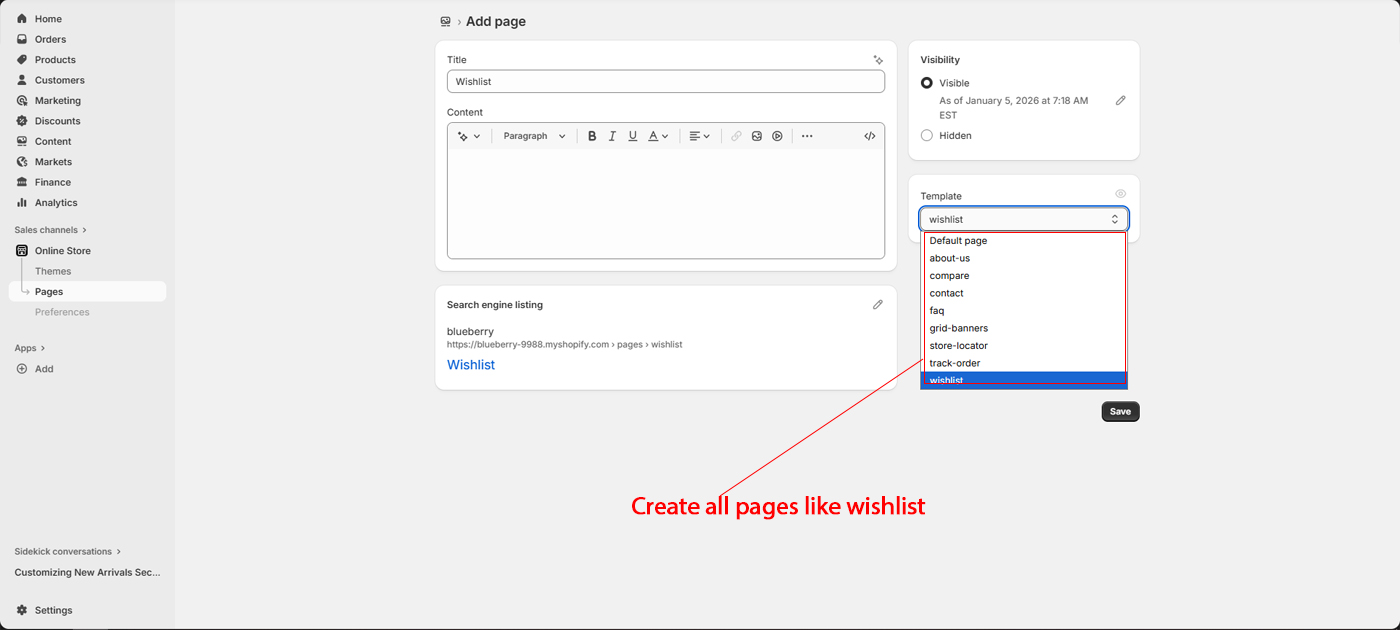
Go To Admin > Online Store > Pages > Add page
  • Title : Wishlist
  • Visibility : Visible (Make sure)
  • Template : wishlist
  • Save

URL : /pages/wishlist

Other Pages
  • About Us page : /pages/about-us
  • Compare page : /pages/compare
  • FAQ page : /pages/faq
  • Store Locator page : /pages/store-locator
  • Track Order page : /pages/track-order
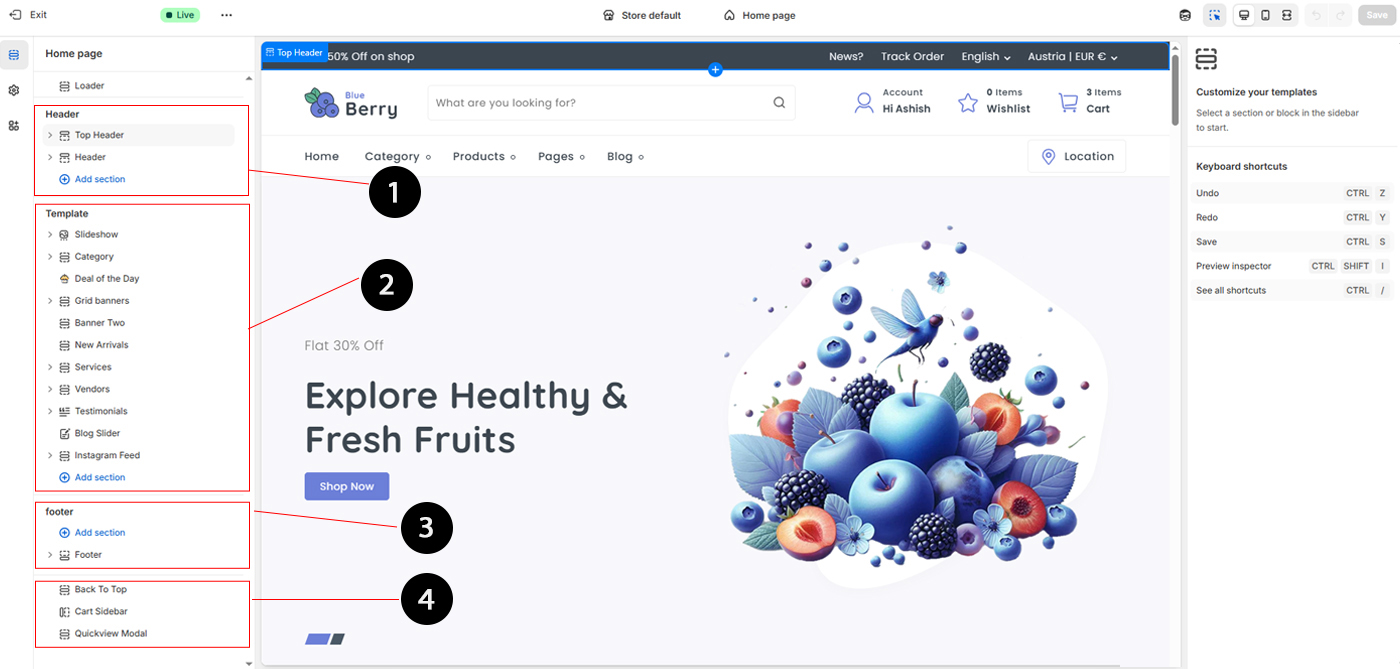
Home page

Welcome to your one-stop destination for quality products and great value. We bring you carefully selected items designed to enhance your lifestyle, combining style, performance, and affordability. Shop with confidence, enjoy secure payments, and experience fast delivery backed.

Product page

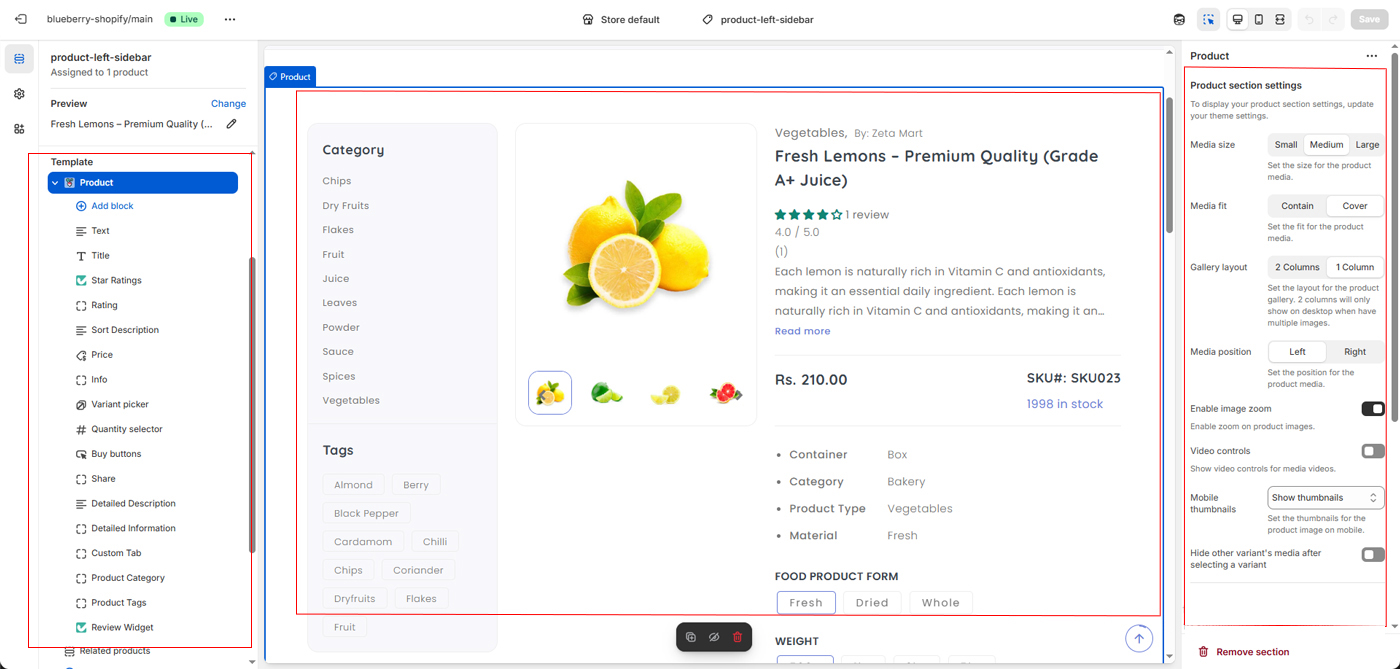
  • 1 Left side bar has template inside section and blocks
  • 2 Center has product image and content
  • 3 Right sidbar has section settings like product settings, detail settings and sidebar settings.

About page

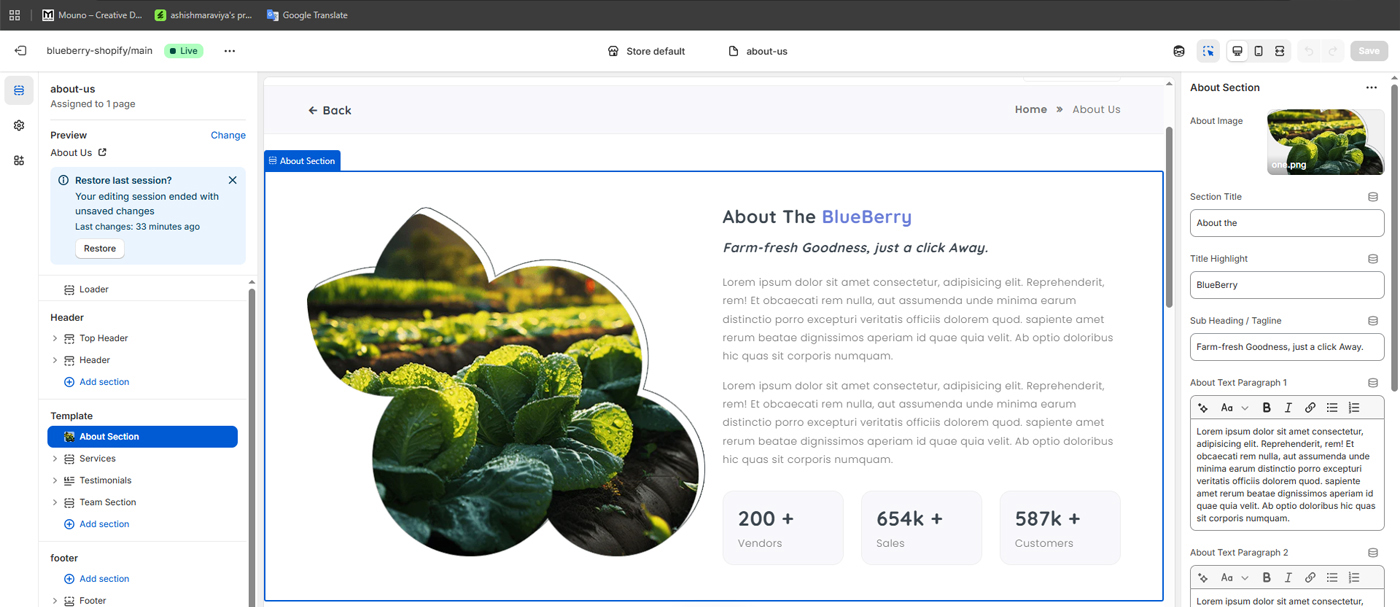
The right sidebar contains all configuration options for the About section. From here, you can easily update and manage your store information, including the company name, subheading, descriptive text, and key statistics. These settings allow you to customize the About section content to reflect your brand identity and business details without editing any code.
Contact page

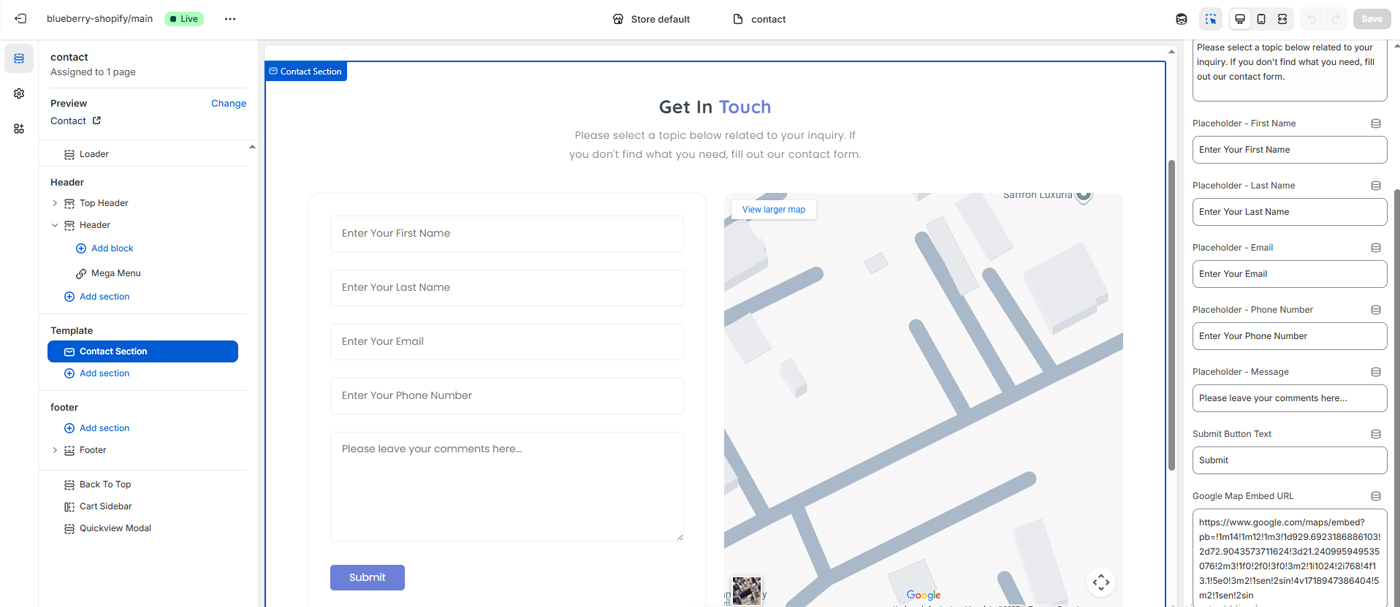
You can customize all form field placeholder text and update the Google Map embed URL to display your store address accurately.

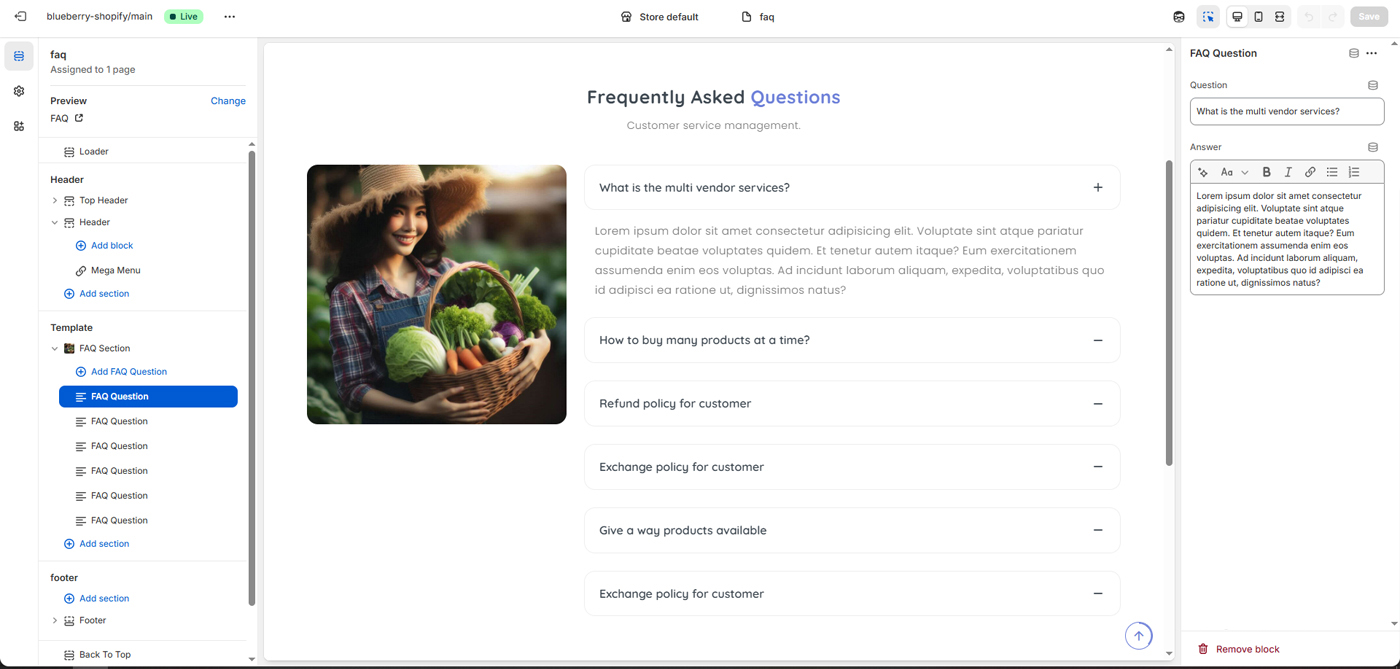
FAQ page

You can easily add, edit, or manage questions and answers for the FAQ page.

Store Locator Page

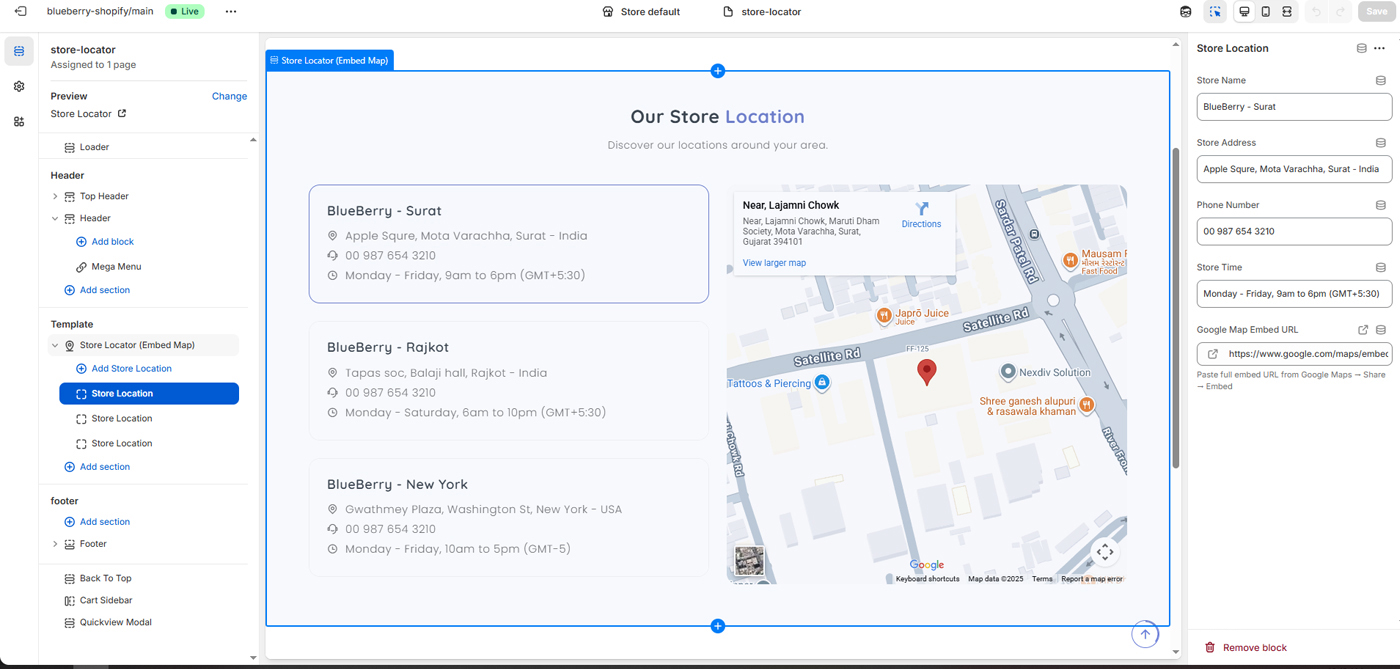
You can easily add, edit, or manage your store location with seprate blocks.

Blog Page

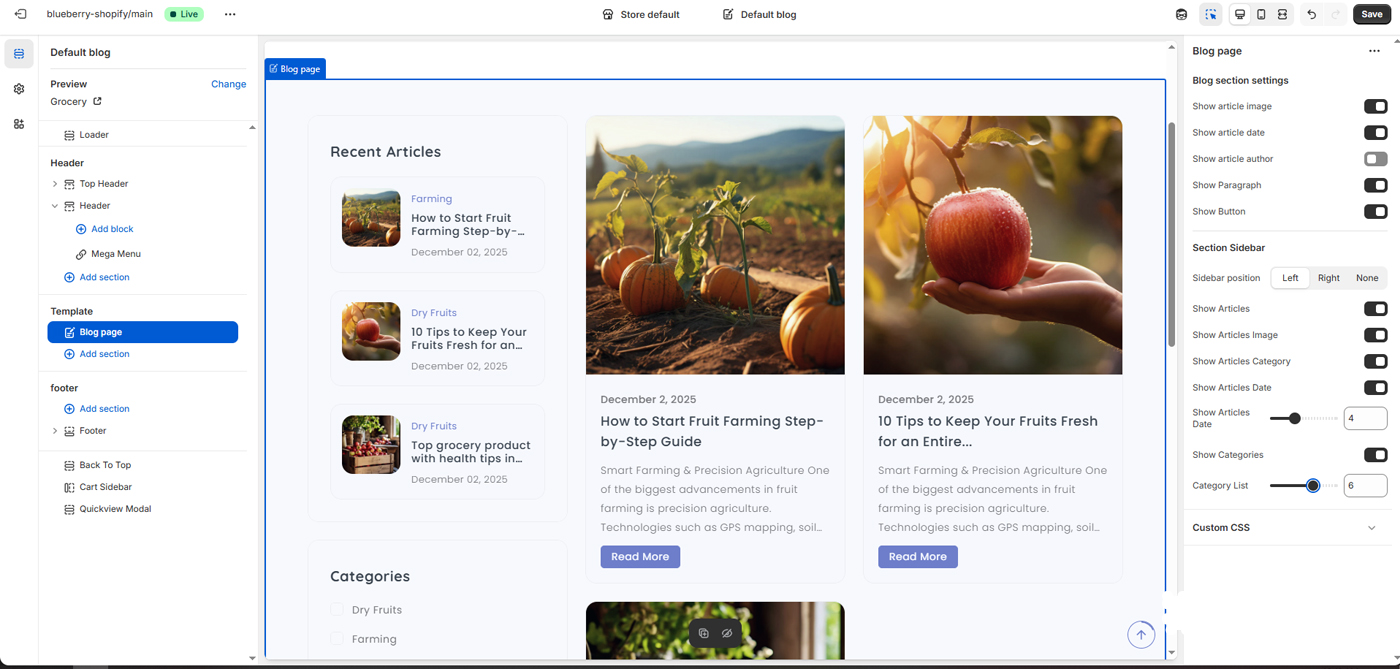
You can easily manage your store blogs, Blog section settings & Blog Sidebar.

Add Pages

Add new pages Visit Shopify Guide (Creating and editing pages)

For Customer Account Pages
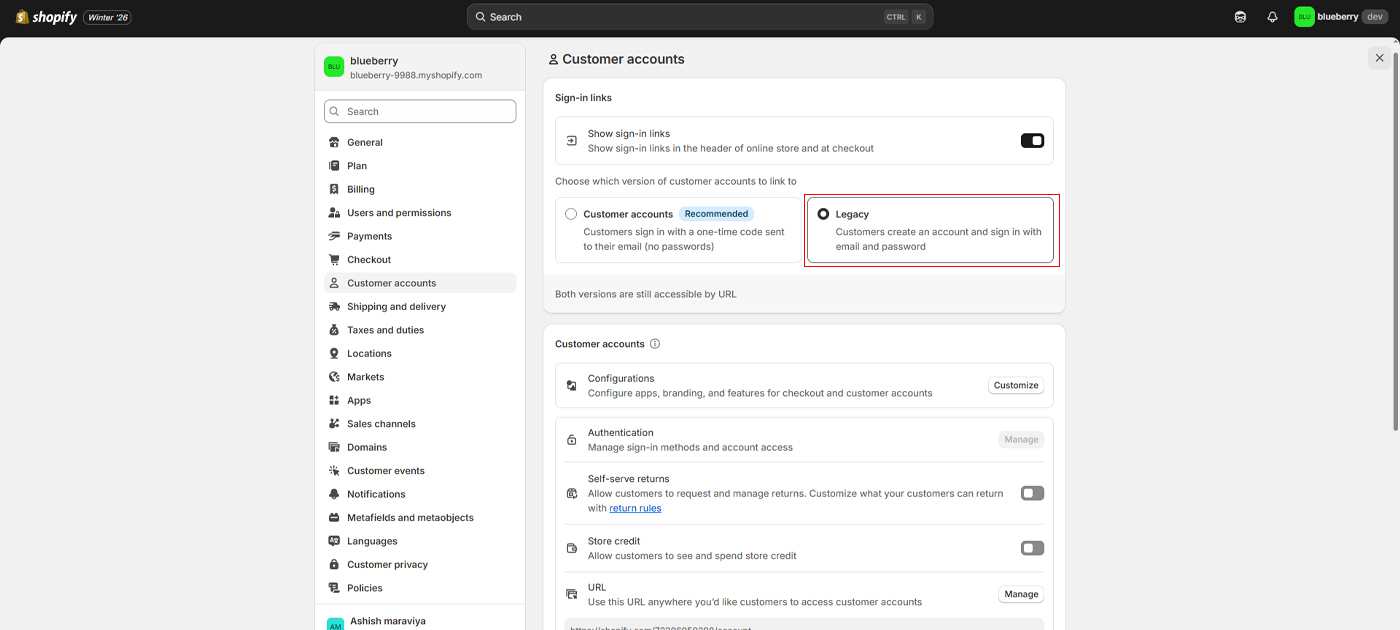
Go To Settings > Customer accounts

Select "Legacy" instead of "Customer accounts"

Demo Pages

You can use other home page, Goto Demos folder and open index-fashion.json file. Copy all code and goto code editer then replace index.json code with index-fashion.json code.